PHP functions to handle .htpasswd file

MitkOK 1 Tallied Votes 654 Views Share

I wrote four simple functions to manipulate .htpasswd file ( Apache ).

Member #949455 commented: This is a neat code snippet. Thanks for sharing! +12
<?php
/*
 
 Author : Mitko Kostov
 Weblog : http://mkostov.wordpress.com 
 Mail :mitko.kostov@gmail.com
 Date : 12/21/2007
 Used : PHP and Smarty
     
*/
// function to register user
function regUser() {


        $filename = 'members/password/.htpasswd';
        $data = $_POST['username'].":".htpasswd($_POST['password'])."\n";
   if (is_writable($filename)) {

   
            if (!$handle = fopen($filename, 'a')) {
                echo "Cannot open file ($filename)";
                exit;
            }

   
            if (fwrite($handle, $data) === FALSE) {
                echo "Cannot write to file ($filename)";
                exit;
            }

            // echo "Success, wrote ($data) to file ($filename)";

         fclose($handle);

         } else {
        
            echo "The file $filename is not writable";
           }

}

// function to show all users and passwords ( encrypted )
function showUser()
{

      
     $file = file('members/password/.htpasswd');
     $array = array();
     $count = count($file);
     for ($i = 0; $i < $count; $i++)
     {
                list($username, $password) = explode(':', $file[$i]);
                $array[] = array("username" => $username, "password" => $password);
      }

     return $array;
}
function delUser($username) {
 
   $fileName = file('members/password/.htpasswd');
   $pattern = "/". $username."/";
  
   foreach ($fileName as $key => $value) {
   
   if(preg_match($pattern, $value)) { $line = $key;  }
   }
 
 
  unset($fileName[$line]);
 
   if (!$fp = fopen('members/password/.htpasswd', 'w+'))
      {
  
        print "Cannot open file ($fileName)";
     
        exit;
      }
 
 
     if($fp)
      {
       
        foreach($fileName as $line) { fwrite($fp,$line); }
       
        fclose($fp);
      }
 
}
 

// function for encrypting password   
function htpasswd($pass)

{

     $pass = crypt(trim($pass),base64_encode(CRYPT_STD_DES));

     return $pass;

}

?>

Dani AI

Generated

supplied a handy set of helpers and confirmed the snippet runs — a good minimal starting point. Key updates to make the code safe and reliable in 2025: fix the hashing, avoid race conditions when writing the file, validate input, and deploy the password file correctly.

The hashing in the original htpasswd() is problematic: CRYPT_STD_DES is a capability flag, not a cryptographic salt, and crypt() expects algorithm-specific salt formats (and is platform-dependent). For application-level password storage use password_hash() (bcrypt/Argon2) and password_verify(); OWASP recommends modern, slow hashing algorithms for stored passwords. If the goal is an Apache .htpasswd file (Basic Auth), create Apache-compatible hashes (htpasswd’s APR1/MD5, bcrypt, SHA) or call the htpasswd utility — Apache documents the formats it accepts. (php.net)

File I/O: avoid raw fopen/fwrite without locking or atomic replace. Use file_put_contents() with flags or write to a temp file and rename() to replace the file atomically. Always sanitize usernames (no colons, newlines), check for duplicates before appending, and never echo full errors to the browser. Example patterns (adapt to your hashing choice):

$line = $username . ':' . $hash . PHP_EOL;
file_put_contents($filename, $line, FILE_APPEND | LOCK_EX);
$lines = file($filename, FILE_IGNORE_NEW_LINES|FILE_SKIP_EMPTY_LINES);
$lines = array_filter($lines, fn($l) => strpos($l, $username . ':') !== 0);
file_put_contents("$filename.tmp", implode(PHP_EOL, $lines) . PHP_EOL, LOCK_EX);
rename("$filename.tmp", $filename);

Use FILE_APPEND|LOCK_EX or explicit flock() for concurrent safety. (php.net)

Deployment and hardening: store the .htpasswd outside the web document tree (AuthUserFile must not live in the directory it protects), set restrictive permissions (e.g., chmod 640 and owned by the webserver account), and serve protected areas only over HTTPS — Basic Auth transmits credentials in a way that should always be paired with TLS. For higher security or large user sets, prefer app-level authentication (DB + password_hash) and add rate limiting / lockouts. (documentation.help)

These changes keep the original functions useful for small scripts while reducing the common pitfalls that lead to leaks, broken hashes, or race conditions.

Member Avatar for Member #949455
Member #949455

I wrote four simple functions to manipulate .htpasswd file ( Apache ).

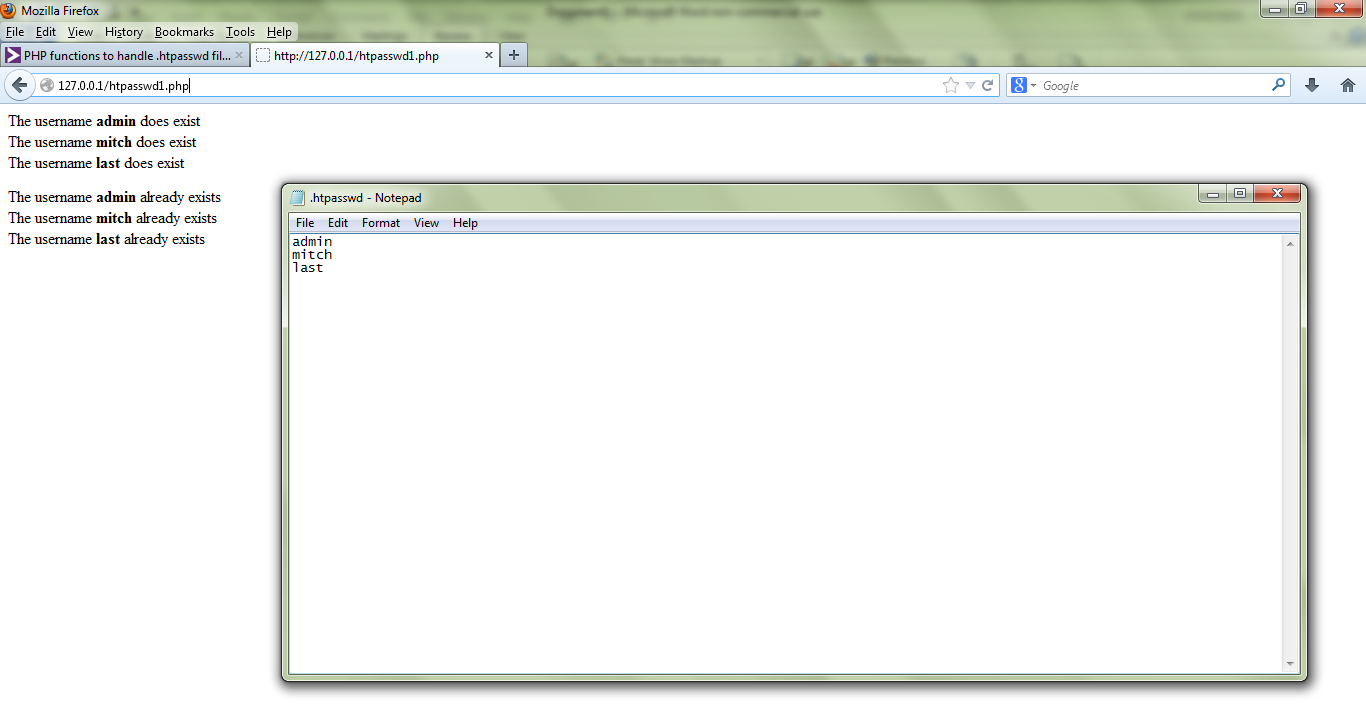
Thanks for sharing. I actually like this code snippet and the file is called: htpasswd.php.

You should have included your other files from here

https://github.com/MrMEEE/dommerbord/tree/master/admin

Then it would be eaiser to grasp.

But I didn't know it til now but the code snippet does work:

1d051fa3663a0d4e2d1b3012db425ee0

Be a part of the DaniWeb community

We're a friendly, industry-focused community of developers, IT pros, digital marketers, and technology enthusiasts meeting, networking, learning, and sharing knowledge.