Hey everyone, isn't Mac OS X great? The only problem is that a lot of open-source software is only for Linux. Well, there will never be an end-all solution, but there's many ways of making it better.

Here are the solutions I recommend:

- Dual-booting Mac OS X and Linux (or triple-boot, in the case of Windows)
- Using Fink or Darwin Ports to provide an application-compatibility layer to Mac OS X

Dual-booting Mac OS X and Linux is, admitedly, not the easiest thing to do. Partitioning is relatively easy, with the help of the command-line diskutil to dynamically resize the HFS+ partition, and make a ext partition. However, drivers are difficult, and an attempt to install Ubuntu on my Macbook just didn't work. I ended up using Gentoo Minimal disk, which worked quite nice, except that I somehow couldn't get X to use my native resolution (1280x800), even with the help of 915resolution.

The second option is much easier. Fink and Darwin Ports (fink.sourceforge.net, and www.darwinports.com, respectively) have special patches and tools to get standard Linux packages to compile on Mac OS X. Fink typically creates a whole Debian subsystem in the /sw directory, and Darwin Ports installs its files in /opt. Fink is larger than Darwin Ports, but using them together allows more compatiblity with other apps.

Several things to note, though:

The best way to use Fink and Darwin ports is to use Apple's X11. This can optionally be installed when you're installing Mac OS X. NOTE: If you install XFree86 with Fink or Darwin ports, you will mess up your existing X11 setup. The only way to restore it, is to wipe the drive, and reinstall OS X.

Using Fink to install KDE on Intel Macs requires a little hack. KDE source for Intel Macs is listed under the Fink package database as unstable. By default, Fink only searches source listed under stable. The Fink FAQ provides a nice workaround.

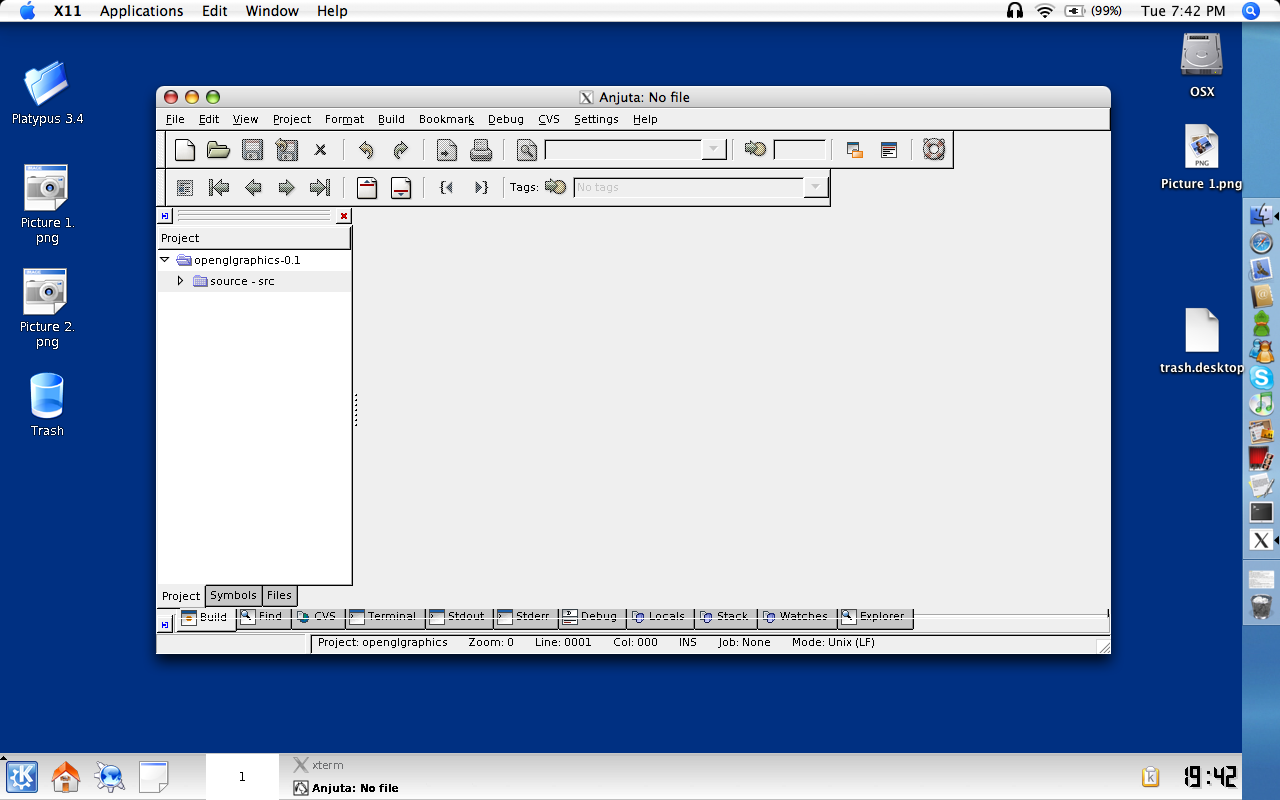
You can install KDE or Gnome, and run it at the same time as Mac OS X. With Apple's X11, you can choose rootless or fullscreen mode, to get the best of both worlds. See screenshot below.
Dani AI

Generated

A quick, modern update that builds on , and : the basic choices from 2006 (compile locally, run a Linux install, or use a ports system) are still valid, but tooling and platform constraints have changed. Homebrew has become the dominant, user-friendly package manager for macOS and is the usual first stop for CLI/open-source ports (Homebrew). For running X11-based GUI apps on macOS, the maintained X server is now XQuartz. (brew.sh)

Practical workflows that fit most needs now: use a package manager (Homebrew or MacPorts) for native ports and prefer prebuilt bottles on Apple silicon; use containers for server/CLI workloads (Docker Desktop supports Apple silicon); and run full Linux desktop apps inside a VM when a native port is impractical. Parallels and VMware are the commercial hypervisor route (Parallels has an Apple‑silicon tech preview for x86 emulation), while UTM/QEMU is the widely used open-source alternative for macOS and iOS. For GUI Linux apps, run them in a Linux VM and either use the guest’s X server or forward to XQuartz. ()

Key cautions and tips: on Apple silicon prefer arm64/aarch64 guest images (emulating x86 is slow); Rosetta 2 only translates Intel macOS apps and does not make Linux binaries or kernel modules magically compatible; projects like Darling try to provide a macOS-on-Linux compatibility layer but remain experimental and incomplete. Kernel-level changes are constrained by modern macOS protections (SIP / kext signing), so virtualization or containers are safer, lower-friction choices for running Linux software in 2025. (support.apple.com)

Recommended Answers

All 5 Replies

Question:

BSD can run Linux apps right?
Why cant apple implement this under OSX?

To run linux apps in BSD, they would need to be recompiled. You could do the same with Mac OS.

To run linux apps in BSD, they would need to be recompiled. You could do the same with Mac OS.

Yes, that's true. The reason we need Fink or DarwinPorts, though, it because Linux apps need to be *slightly* modified to compile under BSD (OS X).

You can also recompile Mac OS X's kernel (Intel only):

Using Fink to install KDE on Intel Macs requires a little hack. KDE source for Intel Macs is listed under the Fink package database as unstable. By default, Fink only searches source listed under stable. The Fink FAQ provides a nice workaround.

As with all things open source, progress has been made. KDE is now in the Stable branch of Fink.

As with all things open source, progress has been made. KDE is now in the Stable branch of Fink.

It appears to also be stable under darwinports as well, I didn't seem to have any issues installing it on an Intel MacBook Pro.

Sadly though gnome is another story, the darwinports version seems riddled with issues. I attmepted to use fink but it too had seperate issues.

Be a part of the DaniWeb community

We're a friendly, industry-focused community of developers, IT pros, digital marketers, and technology enthusiasts meeting, networking, learning, and sharing knowledge.