I've been code for android/ios using flutter more than a year. Now I would like to learn new things by using software to create image instead of just getting icons from google material design (just like image below).

Any recommended ? Thanks.
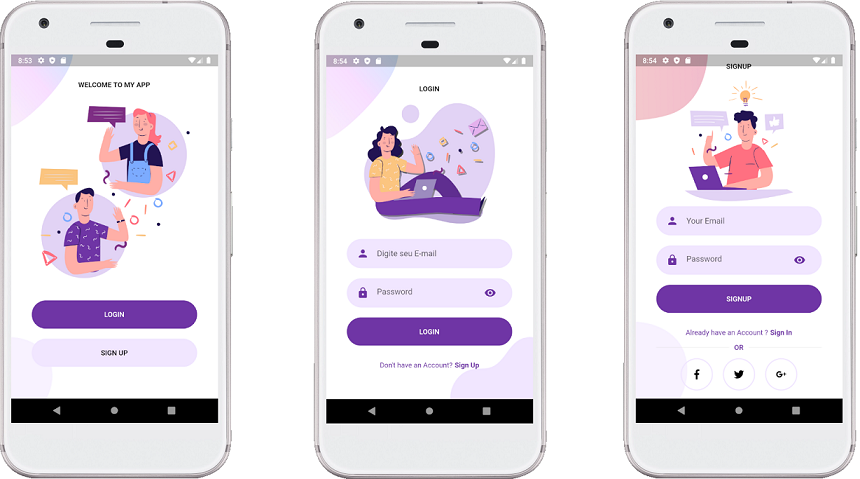
104648412-d93f8f00-5691-11eb-94e9-d1ecedd7c9f8.png

Dani AI

Generated

For icon and simple-UI art, keep a single vector “master” (SVG or a single-page PDF) and export raster slices for each platform/density; use raster (PNG/JPEG) only when you need photographic detail or painterly effects. This lets you tweak a logo once and rebuild all sizes without re-drawing. MDN: SVG overview (vector basics). (developer.mozilla.org)

Android and iOS have different expectations: Android uses adaptive icons (separate foreground/background layers, a system mask and a safe zone) and still expects density-specific assets for legacy/Play Store use; Android Studio’s Image Asset tools can generate the mipmap/density sets for you. iOS requires a high-resolution App Store image (1024×1024) and uses asset catalogs where Xcode can accept vector PDFs or PNGs at the required sizes. Follow the platform docs when you prepare your master and exports. Android adaptive icons · Apple asset catalog / App Icon type. (developer.android.com)

If you work in Flutter, declare multi-resolution assets in pubspec and/or let a launcher-icon tool automate generation. For in-app vector rendering use a maintained SVG package; for icons use a launcher icon generator to create Android adaptive + iOS sets. Beware: converting designer SVGs to Android VectorDrawable or runtime SVG renderers can fail on filters, masks, complex clipping or some gradients—flatten or provide PNG fallbacks for those cases. Flutter assets guidance · flutter_svg package · flutter_launcher_icons · VectorDrawable conversion notes. (docs.flutter.dev)

Practical tips: design the master at App‑Store/print size (e.g., 1024px), keep critical shapes well inside platform safe margins, avoid hairline strokes, and export PNGs at 1x/2x/3x (or use your design tool’s export presets). Figma, Inkscape, Affinity/Illustrator and similar editors all support these flows; use the editor export settings to produce the exact scales you need. Figma export help. (help.figma.com)

Recommended Answers

All 3 Replies

Photoshop seems to be the go to app for graphic work. For me I'm not responsible for the graphics in our apps but will sketch something quick as a filler during development with Paint.Net.

For John_165.
Check out https://ninite.com/ and it's not only free but without any added apps.

As to getpaint, it only costs if you get it via the Microsoft Store. I guess I should note the Microsoft Store is rift with absolute c-r-a-p apps. Examples: https://www.google.com/search?q=microsoft+store+app+full+of+crap

It's been a mystery why Microsoft continues to have one of the worst app stores we know of.

Be a part of the DaniWeb community

We're a friendly, industry-focused community of developers, IT pros, digital marketers, and technology enthusiasts meeting, networking, learning, and sharing knowledge.