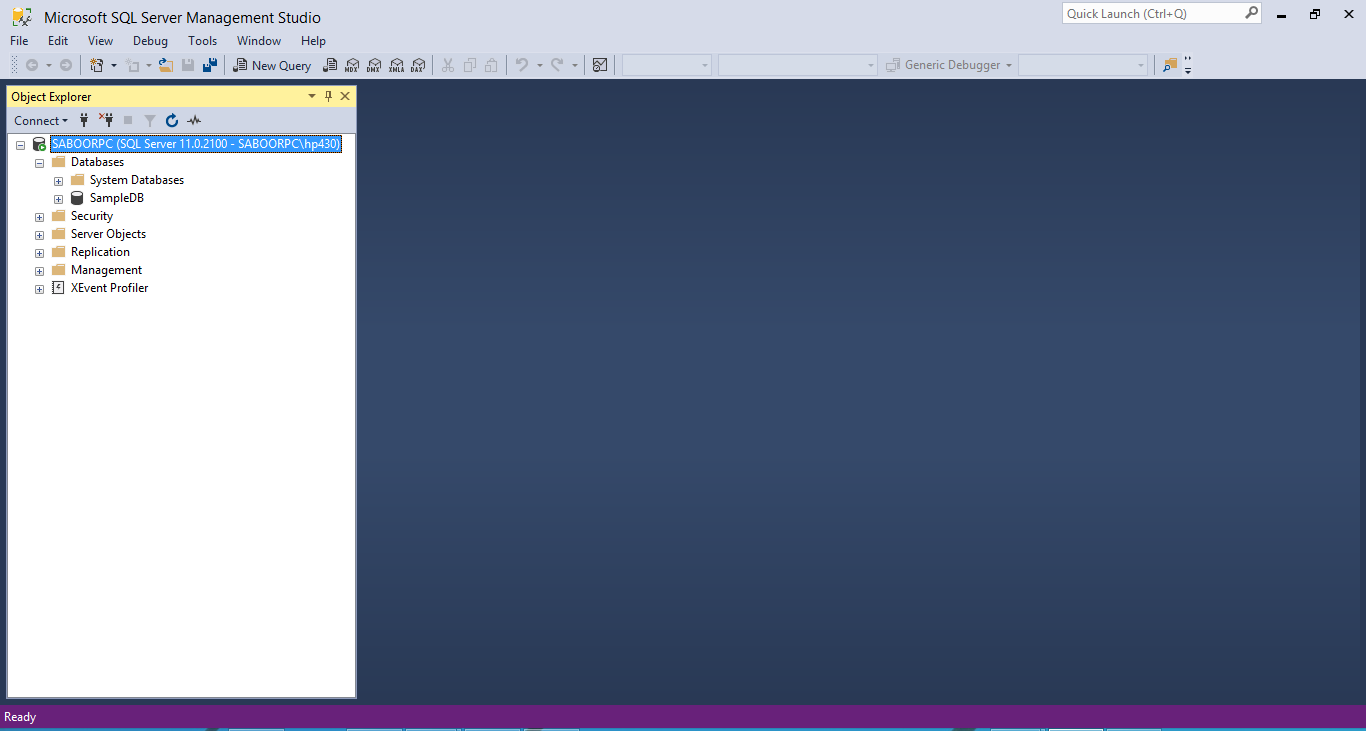
Hi to all! I have SQL Server Express, SQL Server Management Studio 2012. My PC Name is : "SaboorPC" and SQL Server instance name is also "SaboorPC". I am trying to connect my Netbeans to My SQL Server but it is not connecting and giving the following error:

"com.microsoft.sqlserver.jdbc.SQLServerException: The connection to the host SABOORPC, named instance saboorpc failed. Error: "java.net.SocketTimeoutException: Receive timed out". Verify the server and instance names and check that no firewall is blocking UDP traffic to port 1434. For SQL Server 2005 or later, verify that the SQL Server Browser Service is running on the host."

My code and connection url is as follows:

DriverManager.registerDriver(new com.microsoft.sqlserver.jdbc.SQLServerDriver());

        String url ="jdbc:sqlserver://SABOORPC\\SaboorPC;databaseName = SampleDB;integratedSecurity = true;" ;

        con = DriverManager.getConnection(url);

        if(con!=null){
            System.out.println("Connection established");
        }
        else{
            System.out.println("Connection failed");
        }

I am also pasting pictures of my pc name and SQL Server Name. Please guide me what I am doing wrong?
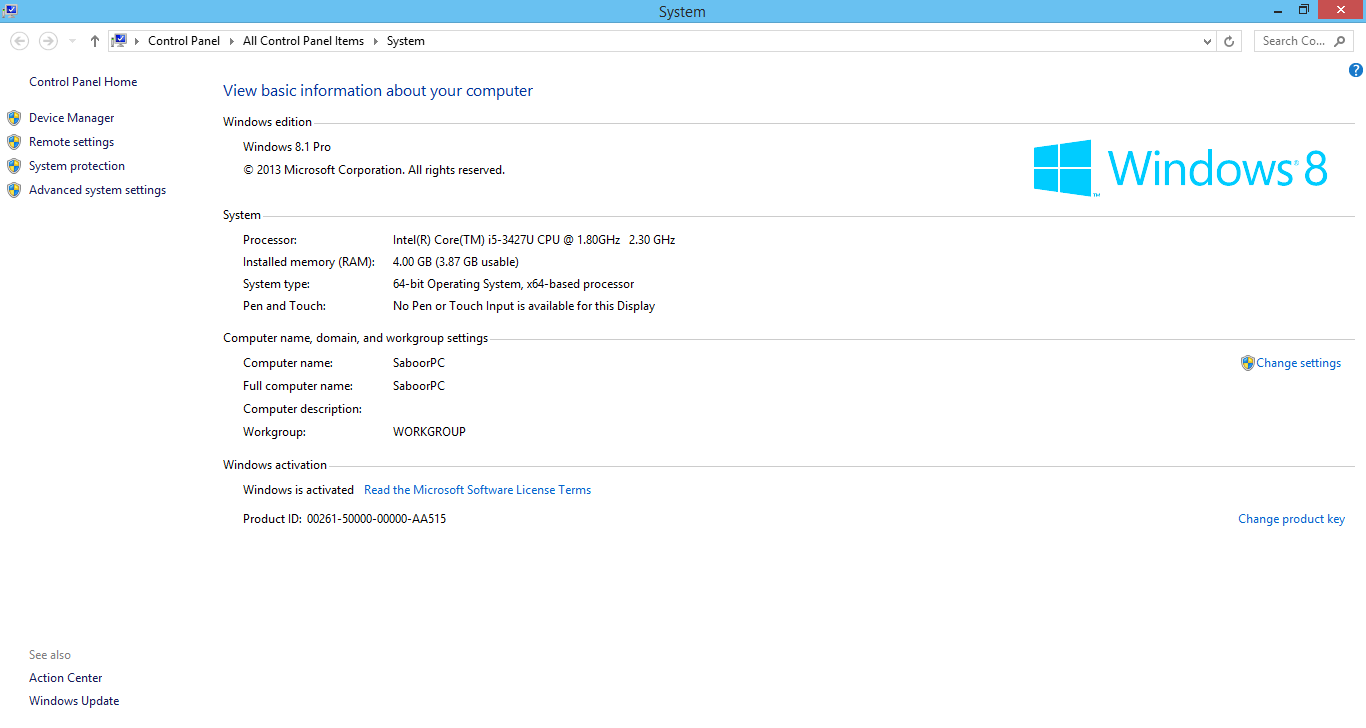
PCName.PNG

ServerName.PNG

Dani AI

Generated

A short, practical checklist to resolve the timeout when NetBeans (JDBC) can't reach a named SQL Server instance.

The exception means the driver could not reach the instance’s TCP port. For named instances the JDBC driver asks the SQL Server Browser (UDP 1434) what port the instance is listening on; if Browser is stopped or UDP is blocked you’ll see a receive timeout. Start by verifying basic name resolution and reachability.

Quick tests (run on the NetBeans machine):

ping SABOORPC
nslookup SABOORPC
Test-NetConnection -ComputerName SABOORPC -Port 1433    # PowerShell
telnet SABOORPC 1433                                   # or try port you expect
sqlcmd -S SABOORPC\SaboorPC -E                         # if sqlcmd is available

If those fail or show the port closed, check these server-side settings (SQL Server Configuration Manager):

  • Under “SQL Server Network Configuration → Protocols for <instance>” make sure TCP/IP is Enabled.
  • If the instance uses dynamic ports, either start SQL Server Browser service or assign a fixed TCP port (set TCP Port under IPAll and clear TCP Dynamic Ports), then restart the SQL Server service.
  • Add Windows Firewall rules to allow inbound TCP on the SQL port (commonly 1433) and UDP 1434 if you rely on Browser.

Try an explicit port-based JDBC URL (avoids Browser lookup):

# SQL Authentication (use for testing)
jdbc:sqlserver://SABOORPC:1433;databaseName=SampleDB;user=testuser;password=secret;

# If you must use Windows integrated auth, remember the native DLL:
# copy sqljdbc_auth.dll to a directory on the JVM PATH and match 32/64-bit.

Other quick notes: ensure the Microsoft JDBC driver JAR is on NetBeans’ classpath, remove extra spaces inside the connection URL parameters (use databaseName=SampleDB;integratedSecurity=true), and confirm the exact instance name in SSMS. As noted, if you make the instance listen on the default port you can omit the instance name and connect using just the host and port.

Just a guess. The last time I did something like this I did not have to call out the SQL Server Instance name. SQL was just a port on a server so I just needed the name of the PC.

Now that means the DNS or hosts file MUST resolve that name.

Question to you: Do you know how to test the name resolution?

Be a part of the DaniWeb community

We're a friendly, industry-focused community of developers, IT pros, digital marketers, and technology enthusiasts meeting, networking, learning, and sharing knowledge.