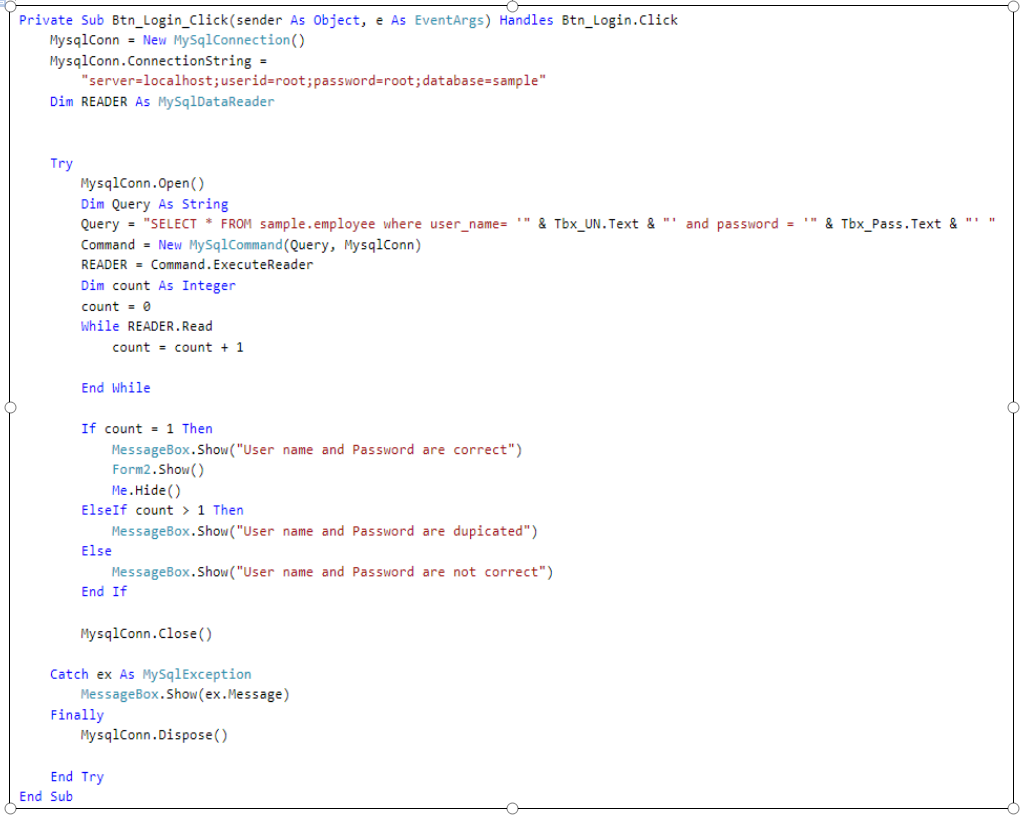
so we were trying to make a simple log in form and our professor simply told us to copy the codes he wrote:
ddasdasd.png

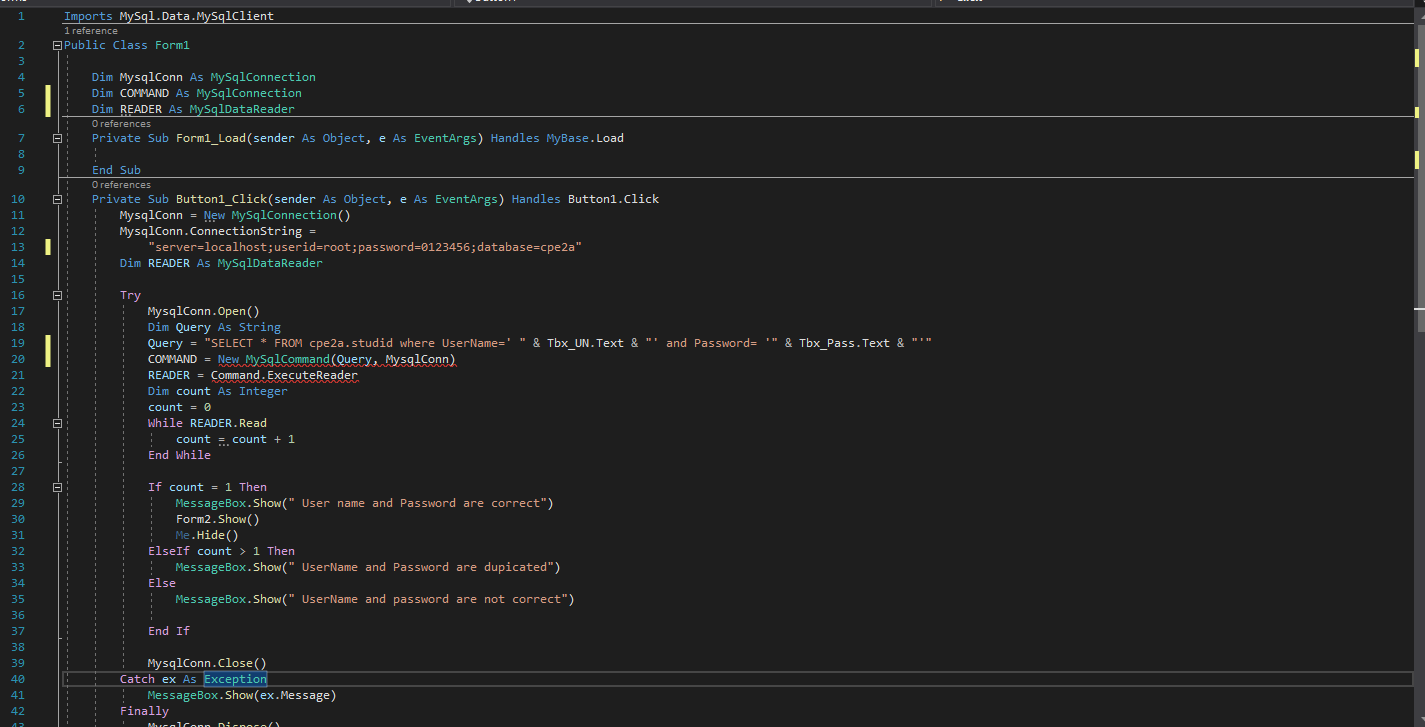
i copied it but i got a red line under line 20 and 21 . I dont know what to do, no one is responding to me in the class and my professor never responded when he saw my question. here is the whole code if you cant see it whole in the picture:
ddasdasd.png

Dani AI

Generated

This thread shows a classic C# compile-time naming/lookup problem: red squiggles on lines 20–21 usually mean the compiler cannot resolve an identifier or type. posted the screenshots and ’s tip to change COMMAND to Command may be exactly right — C# is case-sensitive, so COMMAND, Command, and command are three different identifiers (see the C# identifiers notes) and a mismatch between declaration and use will produce those red lines.

Key diagnostics and fixes:

  • Read the exact compiler error in the Visual Studio Error List (it reports the underlying cause and the file/line). The Error List is the best first clue (Error List window).
  • Hover a squiggle or click the lightbulb/Quick Actions to see suggested fixes. That often offers the correct-casing change or an auto-import.
  • Verify the identifier’s declaration exactly matches the usage (same spelling and case). If the variable was declared as command and the code uses COMMAND, a change to the same casing fixes it.
  • Confirm the data-provider type and namespace are available (for MySQL code this typically requires the connector package and using the provider namespace). If the type itself is unknown, add the project reference / NuGet package and the appropriate using line.

Other possibilities: an undeclared variable, a missing semicolon or bracket earlier in the file causing downstream errors, or a framework/connector mismatch that makes the provider types unavailable. If the Error List message is copied verbatim with the surrounding three lines of code, the exact cause becomes obvious; otherwise the above checks resolve most red-squiggle issues. For background on identifier rules, see the C# reference on identifiers ().

Recommended Answers

All 2 Replies

Hard to say, what is the Error List showing?

Change COMMAND to Command in line 20.

From:

Be a part of the DaniWeb community

We're a friendly, industry-focused community of developers, IT pros, digital marketers, and technology enthusiasts meeting, networking, learning, and sharing knowledge.