
Hello guys
am totally new to java development but I red some tutorial on web on how to create different application on Android Studio.
I've created simple webview application with navigation drawer and everything work perfect, when I tried to add Parse.com SDK to use notification service my program crashes whenever I send a push notification.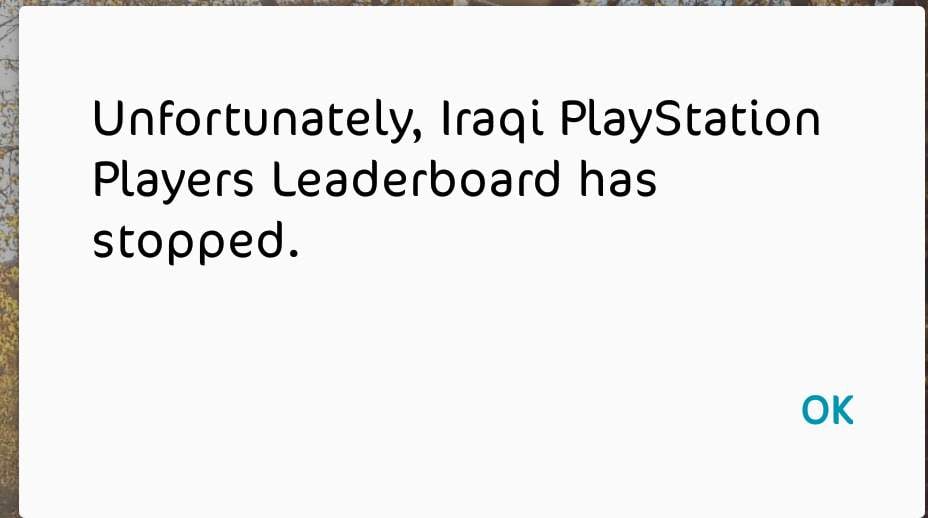
if I opened the application and send push it will Recieve it no crash in app, the problem occurs only when application is closed.
My Android Manifest.xml
<?xml version="1.0" encoding="utf-8"?>
<manifest xmlns:android=""
package="com.iqpslb.osamasw">
<uses-permission android:name="android.permission.INTERNET" />
<uses-permission android:name="android.permission.ACCESS_NETWORK_STATE" />
<uses-permission android:name="android.permission.WAKE_LOCK" />
<uses-permission android:name="android.permission.VIBRATE" />
<uses-permission android:name="android.permission.GET_ACCOUNTS" />
<uses-permission android:name="com.google.android.c2dm.permission.RECEIVE" />
<uses-permission android:name="android.permission.WRITE_EXTERNAL_STORAGE"/>
<uses-permission android:name="android.permission.READ_EXTERNAL_STORAGE"/>
<permission android:protectionLevel="signature"
android:name="com.iqpslb.osamasw.permission.C2D_MESSAGE" />
<uses-permission android:name="com.iqpslb.osamasw.permission.C2D_MESSAGE" />
<application
android:allowBackup="true"
android:icon="@mipmap/ic_launcher"
android:label="@string/app_name"
android:supportsRtl="true"
android:theme="@style/AppTheme">
<activity
android:name=".SplashScreen"
android:label="@string/app_name">
<intent-filter>
<action android:name="android.intent.action.MAIN" />
<category android:name="android.intent.category.LAUNCHER" />
</intent-filter>
</activity>
<activity
android:name=".MainActivity"
android:label="@string/app_name"
android:theme="@style/AppTheme.NoActionBar">
<intent-filter>
<action android:name="android.intent.action.MAIN" />
<category android:name="android.intent.category.DEFAULT" />
</intent-filter>
</activity>
<activity
android:name=".add"
android:label="@string/title_activity_add"
android:theme="@style/AppTheme.NoActionBar" />
<activity
android:name=".Our_Partner"
android:label="@string/title_activity_our__partner"
android:parentActivityName=".MainActivity"
android:theme="@style/AppTheme.NoActionBar">
<meta-data
android:name="android.support.PARENT_ACTIVITY"
android:value="com.iqpslb.osamasw.MainActivity" />
</activity>
<activity
android:name=".About_Leaderboard"
android:label="@string/title_activity_about__leaderboard"
android:parentActivityName=".MainActivity"
android:theme="@style/AppTheme.NoActionBar">
<meta-data
android:name="android.support.PARENT_ACTIVITY"
android:value="com.iqpslb.osamasw.MainActivity" />
</activity>
<service android:name="com.parse.PushService" />
<receiver
android:name="com.iqpslb.osamasw.Receiver"
android:exported="false" >
<intent-filter>
<action android:name="com.parse.push.intent.RECEIVE" />
<action android:name="com.parse.push.intent.DELETE" />
<action android:name="com.parse.push.intent.OPEN" />
</intent-filter>
</receiver>
<receiver android:name="com.parse.GcmBroadcastReceiver"
android:permission="com.google.android.c2dm.permission.SEND">
<intent-filter>
<action android:name="com.google.android.c2dm.intent.RECEIVE" />
<action android:name="com.google.android.c2dm.intent.REGISTRATION" />
<category android:name="com.iqpslb.osamasw" />
</intent-filter>
</receiver>
<meta-data android:name="com.parse.push.notification_icon"
android:resource="@drawable/ic_stat_name"/>
</application>
</manifest>
Reciever.java
package com.iqpslb.osamasw;

import android.content.Context;
import android.content.Intent;

import com.parse.ParsePushBroadcastReceiver;

public class Receiver extends ParsePushBroadcastReceiver {

    @Override
    public void onPushOpen(Context context, Intent intent) {
        //Log.e("Push", "Clicked");
        Intent i = new Intent(context, MainActivity.class);
        i.putExtras(intent.getExtras());
        i.setFlags(Intent.FLAG_ACTIVITY_NEW_TASK);
        context.startActivity(i);
    }
}
Main Activity.java
package com.iqpslb.osamasw;
import android.app.AlertDialog;
import android.content.DialogInterface;
import android.content.Intent;
import android.graphics.Bitmap;
import android.net.ConnectivityManager;
import android.net.NetworkInfo;
import android.os.Bundle;
import android.view.KeyEvent;
import android.support.design.widget.NavigationView;
import android.support.v4.view.GravityCompat;
import android.support.v4.widget.DrawerLayout;
import android.support.v7.app.ActionBarDrawerToggle;
import android.support.v7.app.AppCompatActivity;
import android.support.v7.widget.Toolbar;
import android.view.Menu;
import android.view.MenuItem;
import android.webkit.WebSettings;
import android.webkit.WebView;
import android.webkit.WebViewClient;
import android.widget.ProgressBar;
import android.widget.Toast;
import com.parse.Parse;
import com.parse.ParseInstallation;
public class MainActivity extends AppCompatActivity
implements NavigationView.OnNavigationItemSelectedListener {
private WebView mWebView;
ProgressBar progressBar;
@Override
protected void onCreate(Bundle savedInstanceState) {
Parse.initialize(getApplicationContext(), getString(R.string.parse_app_id), getString(R.string.parse_client_key));
ParseInstallation.getCurrentInstallation().saveInBackground();
super.onCreate(savedInstanceState);
setContentView(R.layout.activity_main);
ConnectivityManager cManager = (ConnectivityManager) getSystemService(this.CONNECTIVITY_SERVICE);
NetworkInfo nInfo = cManager.getActiveNetworkInfo();
if (nInfo != null && nInfo.isConnected()){
Toast.makeText(getApplicationContext(), "Welcome", Toast.LENGTH_LONG).show();
mWebView = (WebView) findViewById(R.id.activity_main_webview);
progressBar = (ProgressBar) findViewById(R.id.progressBar1);
WebSettings webSettings = mWebView.getSettings();
webSettings.setJavaScriptEnabled(true);
mWebView.loadUrl("");
mWebView.setWebViewClient(new HelloWebViewClient());
}else{
Toast.makeText(getApplicationContext(),"No Internet Connection", Toast.LENGTH_LONG).show();
}
Toolbar toolbar = (Toolbar) findViewById(R.id.toolbar);
setSupportActionBar(toolbar);
DrawerLayout drawer = (DrawerLayout) findViewById(R.id.drawer_layout);
ActionBarDrawerToggle toggle = new ActionBarDrawerToggle(
this, drawer, toolbar, R.string.navigation_drawer_open, R.string.navigation_drawer_close);
drawer.setDrawerListener(toggle);
toggle.syncState();
NavigationView navigationView = (NavigationView) findViewById(R.id.nav_view);
navigationView.setNavigationItemSelectedListener(this);
}
private class HelloWebViewClient extends WebViewClient {
@Override
public void onPageStarted(WebView view, String url, Bitmap favicon) {
// TODO Auto-generated method stub
super.onPageStarted(view, url, favicon);
}
@Override
public boolean shouldOverrideUrlLoading(WebView webView, String url)
{
webView.loadUrl(url);
return true;
}
@Override
public void onPageFinished(WebView view, String url) {
super.onPageFinished(view, url);
progressBar.setVisibility(view.GONE);
}
}
@Override
public boolean onKeyDown(int keyCode, KeyEvent event)
{ //if back key is pressed
if((keyCode == KeyEvent.KEYCODE_BACK)&& mWebView.canGoBack())
{
mWebView.goBack();
return true;
}
return super.onKeyDown(keyCode, event);
}
@Override
public void onBackPressed() {
AlertDialog.Builder alertDialogBuilder = new AlertDialog.Builder(
MainActivity.this);
// set title
alertDialogBuilder.setTitle("Exit");
// set dialog message
alertDialogBuilder
.setMessage("Do you really want to exit?")
.setCancelable(false)
.setPositiveButton("Yes",new DialogInterface.OnClickListener() {
public void onClick(DialogInterface dialog,int id) {
// if this button is clicked, close
// current activity
MainActivity.this.finish();
}
})
.setNegativeButton("No",new DialogInterface.OnClickListener() {
public void onClick(DialogInterface dialog,int id) {
// if this button is clicked, just close
// the dialog box and do nothing
dialog.cancel();
}
});
// create alert dialog
AlertDialog alertDialog = alertDialogBuilder.create();
// show it
alertDialog.show();
DrawerLayout drawer = (DrawerLayout) findViewById(R.id.drawer_layout);
if (drawer.isDrawerOpen(GravityCompat.START)) {
drawer.closeDrawer(GravityCompat.START);
} else {
super.onBackPressed();
}
}
@Override
public boolean onCreateOptionsMenu(Menu menu) {
// Inflate the menu; this adds items to the action bar if it is present.
getMenuInflater().inflate(R.menu.main, menu);
return true;
}
@Override
public boolean onOptionsItemSelected(MenuItem item) {
// Handle action bar item clicks here. The action bar will
// automatically handle clicks on the Home/Up button, so long
// as you specify a parent activity in AndroidManifest.xml.
int id = item.getItemId();
//noinspection SimplifiableIfStatement
if (id == R.id.action_exit) {
AlertDialog.Builder alertDialogBuilder = new AlertDialog.Builder(
MainActivity.this);
// set title
alertDialogBuilder.setTitle("Exit");
// set dialog message
alertDialogBuilder
.setMessage("Do you really want to exit?")
.setCancelable(false)
.setPositiveButton("Yes",new DialogInterface.OnClickListener() {
public void onClick(DialogInterface dialog,int id) {
// if this button is clicked, close
// current activity
MainActivity.this.finish();
}
})
.setNegativeButton("No",new DialogInterface.OnClickListener() {
public void onClick(DialogInterface dialog,int id) {
// if this button is clicked, just close
// the dialog box and do nothing
dialog.cancel();
}
});
// create alert dialog
AlertDialog alertDialog = alertDialogBuilder.create();
// show it
alertDialog.show();
return true;
}
return super.onOptionsItemSelected(item);
}
@SuppressWarnings("StatementWithEmptyBody")
@Override
public boolean onNavigationItemSelected(MenuItem item) {
// Handle navigation view item clicks here.
int id = item.getItemId();
if (id == R.id.nav_home) {
Intent intent = new Intent(this,MainActivity.class);
startActivity(intent);
} else if (id == R.id.nav_add) {
Intent intent = new Intent(this,add.class);
startActivity(intent);
} else if (id == R.id.nav_partner) {
Intent intent = new Intent(this,Our_Partner.class);
startActivity(intent);
} else if (id == R.id.nav_about) {
Intent intent = new Intent(this,About_Leaderboard.class);
startActivity(intent);
} else if (id == R.id.nav_exit) {
finish();
}
DrawerLayout drawer = (DrawerLayout) findViewById(R.id.drawer_layout);
drawer.closeDrawer(GravityCompat.START);
return true;
}
}
build.gradle
apply plugin: 'com.android.application'

android {
    compileSdkVersion 23
    buildToolsVersion "23.0.2"

    defaultConfig {
        applicationId "com.iqpslb.osamasw"
        minSdkVersion 16
        targetSdkVersion 23
        versionCode 1
        versionName "1.2"
        multiDexEnabled true
    }
    buildTypes {
        release {
            minifyEnabled false
            proguardFiles getDefaultProguardFile('proguard-android.txt'), 'proguard-rules.pro'
        }
    }
}

dependencies {
    compile fileTree(dir: 'libs', include: ['*.jar'])
    testCompile 'junit:junit:4.12'
    compile 'com.android.support:appcompat-v7:23.1.1'
    compile 'com.android.support:design:23.1.1'
    compile 'com.parse.bolts:bolts-android:1.3.0'
    compile 'com.parse:parse-android:1.12.0'
}

