To start, it is NOT a hacking job. I want to access my USAGE report from my ISP. At the home page I have to select Account Management then login with my user name and pw from newly created prompt. One clicking login I get yet another prompt so I select usage report from dynamically displayed selection(dropdown) , then click select. That will direct me to the report page that I want to save as html. Then logout from that page. There are a lot of js and it it is not easy to navigate (The home page) but it does it's functions.

I did spend a lot of time trying on my own, using of course Machanize; but I need your help.

If someone here did a similar perl script, I will apprecite some workflow that I can initiate with your guidance.
Dani AI

Generated

Brief note and context: this thread shows a common pattern — an ISP portal built with ASP.NET and client-side JavaScript that exposes a login and a dynamically populated usage report. documented the difficulty and ’s approach of targeting the correct HTML form made the scripted login succeed. The points below explain why that works and offer practical follow-ups for anyone scraping a similar site.

Why it happens: ASP.NET pages often include dynamically generated control names (ctl00$...), and rely on hidden state fields (for example, viewstate/eventvalidation) plus client-side postbacks. Mechanize does not execute JavaScript, so interactive actions driven by JS (dropdown-driven XHRs or postbacks) will not happen automatically. If a script selects the wrong form or omits required hidden fields, the server will reject the request or return a different page.

Practical troubleshooting checklist: inspect the page with browser dev tools — view the DOM to find which form actually contains the login fields and the hidden state inputs, and use the Network panel to capture the exact POST/XHR that the browser sends when selecting the usage report. Replicate that request (method, path, cookies, headers and hidden fields) rather than trying to emulate the JS. Make sure a cookie jar is used and redirects are followed so the session survives. Save the returned HTML in binary mode and honor the page charset when writing files. Parse results with an HTML DOM parser (not regex) to extract numeric usage reliably.

Alternatives and cautions: when client-side JS cannot be avoided, use real browser automation (headless Chrome/Firefox or Playwright/Selenium via a Perl or Python binding) so the page can run its scripts. Keep credentials secure, add polite throttling to avoid triggering anti-bot defenses, and verify the ISP’s terms of service allow automated access. The resolution shown here is a good template: enumerate forms, choose the one that contains the ASP.NET state fields, submit with cookies preserved, then save and parse the returned HTML.

Recommended Answers

All 5 Replies

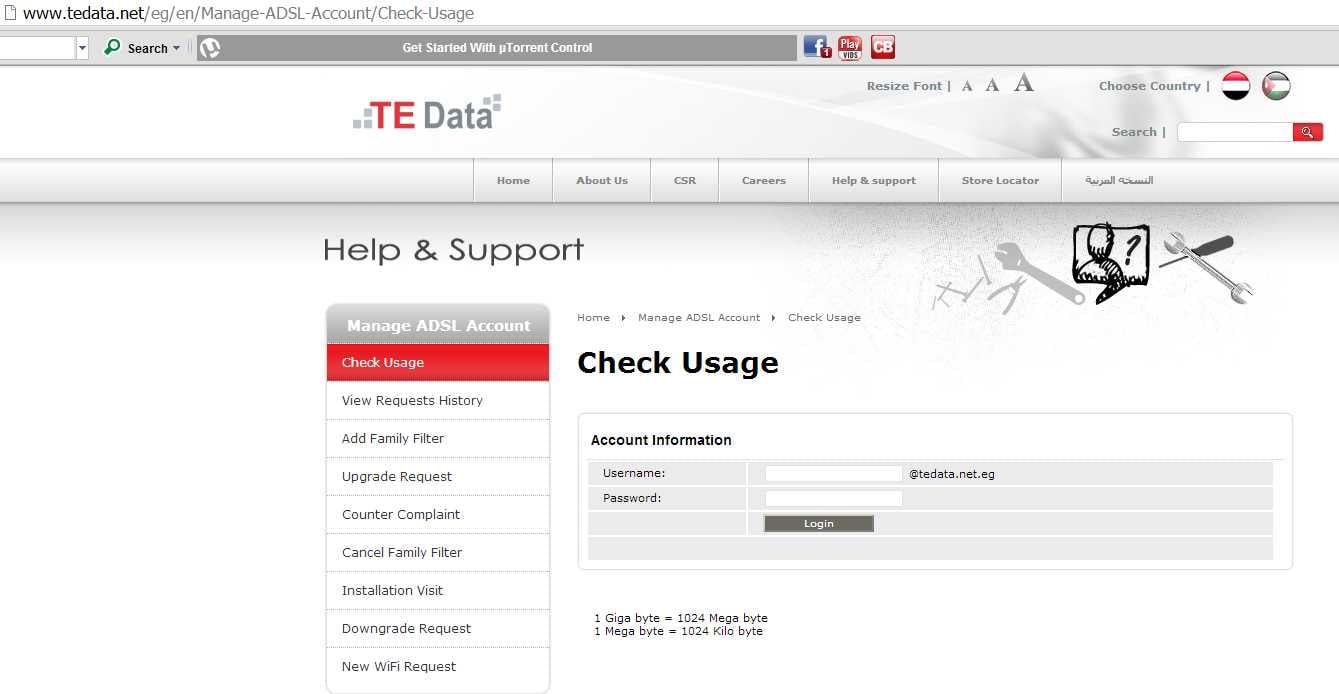
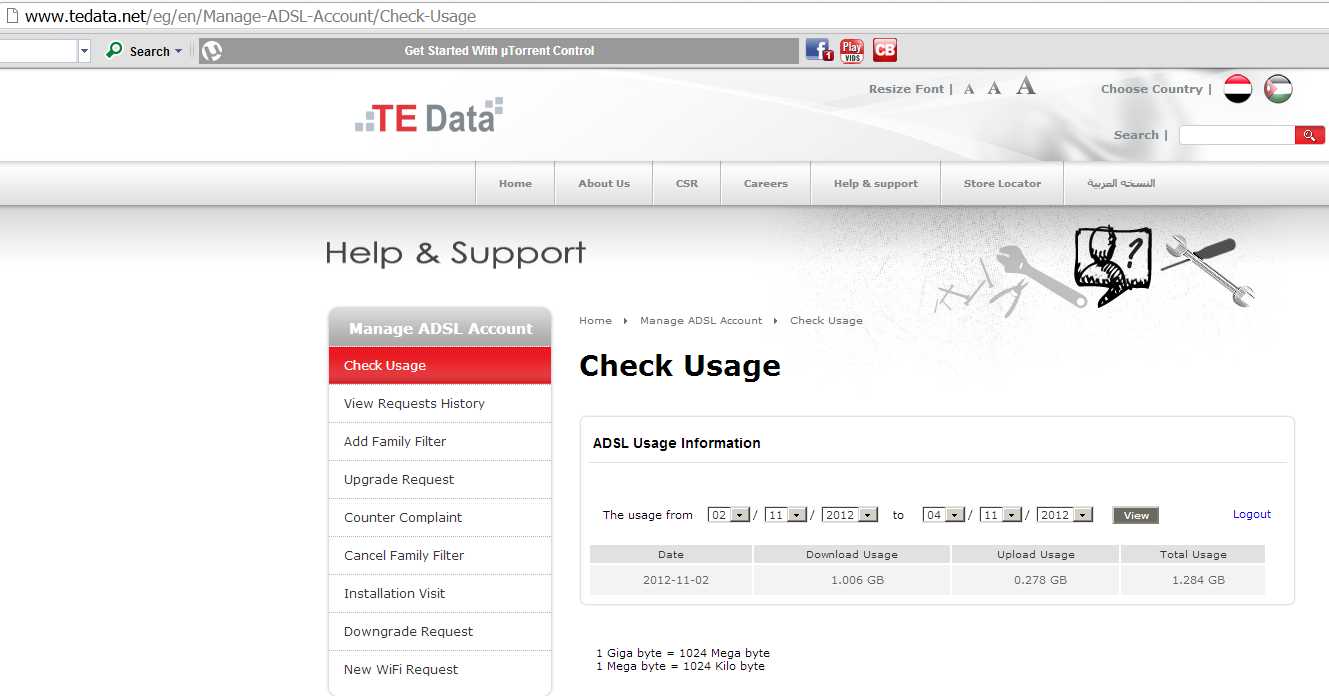
Here is my latest effort in the subject The two screen shots indicate when I use the link (in the code) I get the login screen , I type User and PW press login , I get the second screen. I need to save this screen as html.

use 5.010;
use strict;
use warnings;

use Win32::Internet; 
my $INET= new Win32::Internet();
$INET ->HTTP(my $HTTP, "''", "123456", "123456789");

my ($statuscode, $headers, $file)=$HTTP->Request("/");
say $statuscode;
say $headers;
binmode STDOUT;
print $file;

Dani01Dani002

Look in to the module WWW::Mechanize

use strict;
use warnings;
use WWW::Mechanize;

my $mech = WWW::Mechanize->new;

$mech->get("");

my $site = $mech->content; #site saved as html

you can also you the module to log you in the site and do things...

Thank you so much for your response, here what I did following your suggestion:

use WWW::Mechanize;
my $username = '123456@tedata.net.eg'; ## watch the weired way they are designing it
my $password = "123456789"; 
my $url = ""; 
my $mech = WWW::Mechanize->new();
$mech->get($url);
## 
$mech->form("aspnetForm"); # The Login Form Name   I am not sure
$mech->field('ctl00$ContentPlaceHolder1$Txt_ADSL_UserName', $username); # I am not sure
$mech->field('ctl00$ContentPlaceHolder1$Txt_ADSL_Password', $password); # I am not sure
$mech->click("Login"); # I am not sure

my $current_site = $mech->{uri}; 

Perl did not like my form details. The page is written in a very complicated way( also js etc)
May be you can give me a hand ( the link above can give you access to the form details).

Or may be I am doing it the wrong way all together.

try this:

#!/usr/bin/perl

use strict;
use warnings;
use WWW::Mechanize;

##########
my $url = '';
my $user = '123456';
my $pass = '123456789';
#########


my $mech = WWW::Mechanize->new();

$mech->get($url);

$mech->form_number(2); #set the number 2 form as the one we want

$mech->set_fields( 'ctl00$ContentPlaceHolder1$Txt_ADSL_UserName' => $user);
$mech->set_fields( 'ctl00$ContentPlaceHolder1$Txt_ADSL_Password' => $pass);

$mech->click_button(value =>'Login' );


print $mech->content;

1;

It worked like a charm wow. Very smart of you to use form number not text and the real one is actually reading the page code and using form 2.
I worked on it for 2 weeks
Thank you so much for taking the time and solving the problem.

Be a part of the DaniWeb community

We're a friendly, industry-focused community of developers, IT pros, digital marketers, and technology enthusiasts meeting, networking, learning, and sharing knowledge.